
Checkout
MLF Admin Quick Actions Featured ! Hot ! New !
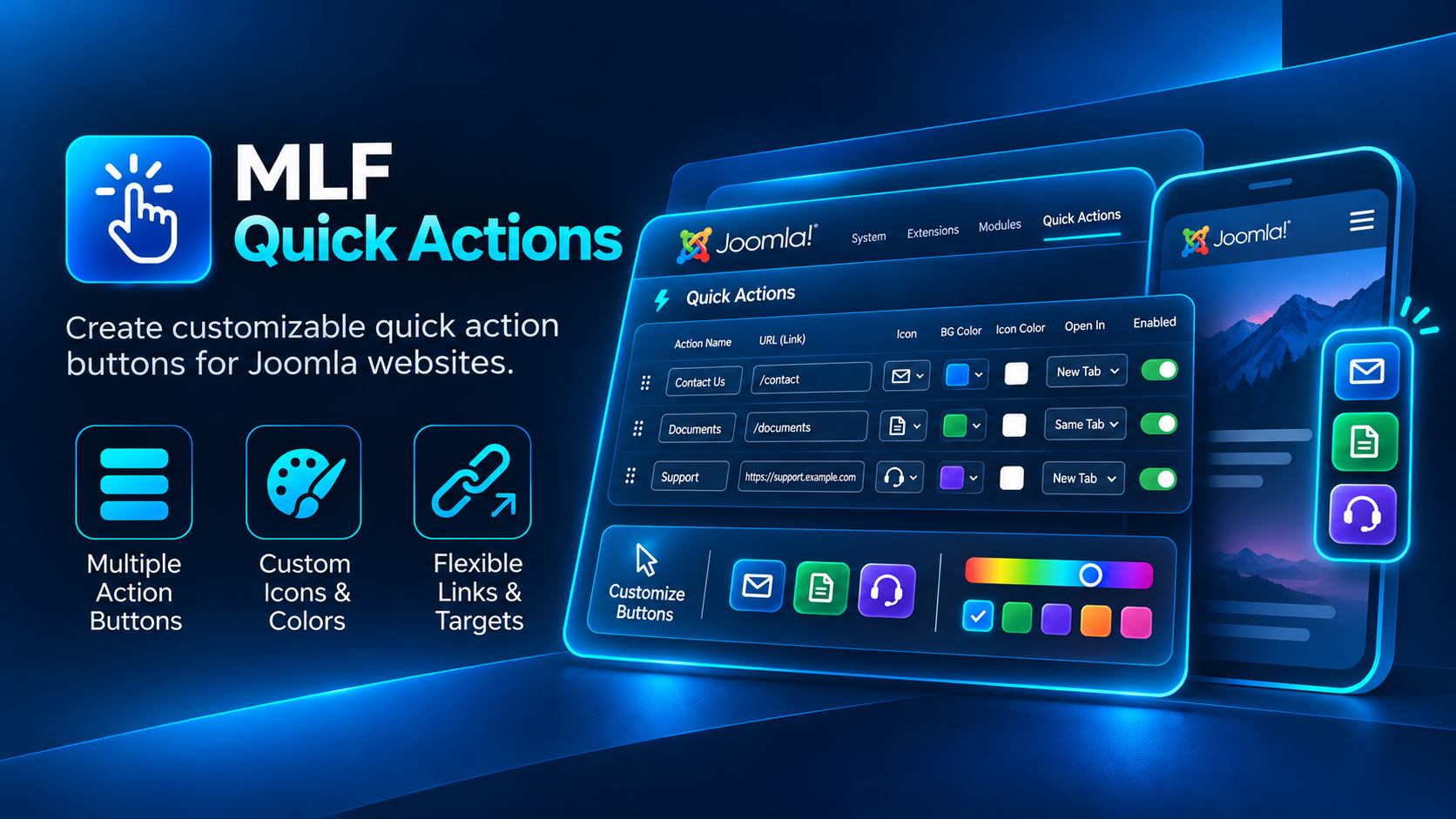
A flexible Joomla Administrator module for creating customizable quick action buttons with custom links, icons, colors and opening behavior.
Custom quick actions for the Joomla Administrator
MLF Quick Actions is a Joomla Administrator module designed to give backend users fast access to the pages, tools and resources they use most often.
Create a customizable set of quick action buttons directly inside the Joomla administration interface, with individual links, icons, colors, target behavior and enabled states.
Built specifically for the Joomla backend
MLF Quick Actions is an Administrator module. It is intended for the Joomla backend, not for public frontend pages.
Use it to create a compact shortcut panel for administrators, editors, managers or other backend users who need quick access to frequently used destinations.
Key Features
- Designed specifically for the Joomla Administrator interface
- Create multiple quick action buttons in one module
- Custom action name for every button
- Custom internal or external URL
- Choose an icon for each action
- Support for custom icon classes
- Custom background color per action
- Custom icon color per action
- Choose whether links open in the same tab or a new tab
- Enable or disable individual actions without deleting them
- Reorder actions through Joomla's repeatable field interface
- Responsive administrator layout
Speed up everyday administration
MLF Quick Actions helps reduce unnecessary navigation inside the Joomla backend by placing frequently used destinations in one convenient module.
Create shortcuts to areas such as:
- Articles and content management
- Users and user groups
- Components and extensions
- Orders, documents or downloads
- Support and documentation
- External administration tools
- Any frequently used backend or external destination
Individual styling for every action
Each quick action can have its own icon, background color and icon color, making important shortcuts easy to recognize at a glance.
This is especially useful when creating separate actions for content, users, support, orders, reports or other administration tasks.
Flexible link behavior
Each action can point to an internal Joomla Administrator URL or an external resource.
You can also choose whether each link opens in the current tab or a new browser tab.
Simple administration
Actions are managed directly from the module configuration using Joomla's repeatable field interface.
Add, remove, reorder, enable or disable shortcuts without modifying template files or writing custom backend code.
Ideal for
- Joomla administrators
- Content editors
- Website managers
- Support teams
- Client administration dashboards
- Any Joomla backend where frequently used actions should be easier to reach
Version Information
Developer: MYLIFEFACTORY
Extension type: Joomla Administrator Module
Installation & Setup
1. Install the Administrator module
Log in to your Joomla Administrator and open:
System → Install → Extensions
Upload the MLF Quick Actions installer ZIP and complete the standard Joomla installation process.
2. Open Administrator Modules
MLF Quick Actions is an Administrator module, so configure it from Joomla's Administrator module manager rather than the Site Modules area.
Create or open an MLF Quick Actions module instance and assign it to the required administrator module position.
3. Add your quick actions
For each action you can configure:
- Action name
- Destination URL
- Icon
- Custom icon class
- Background color
- Icon color
- Open in same tab or new tab
- Enabled or disabled status
4. Reorder actions
Use the repeatable field controls to arrange your actions in the order you want them to appear inside the Joomla Administrator module.
5. Publish the module
Set the module status to Published and make sure it is assigned to the correct Administrator module position.
After publishing, the configured quick actions become available directly inside the Joomla backend.
6. Test every shortcut
Verify each action and confirm that internal Administrator links, external URLs and new-tab behavior work as expected.